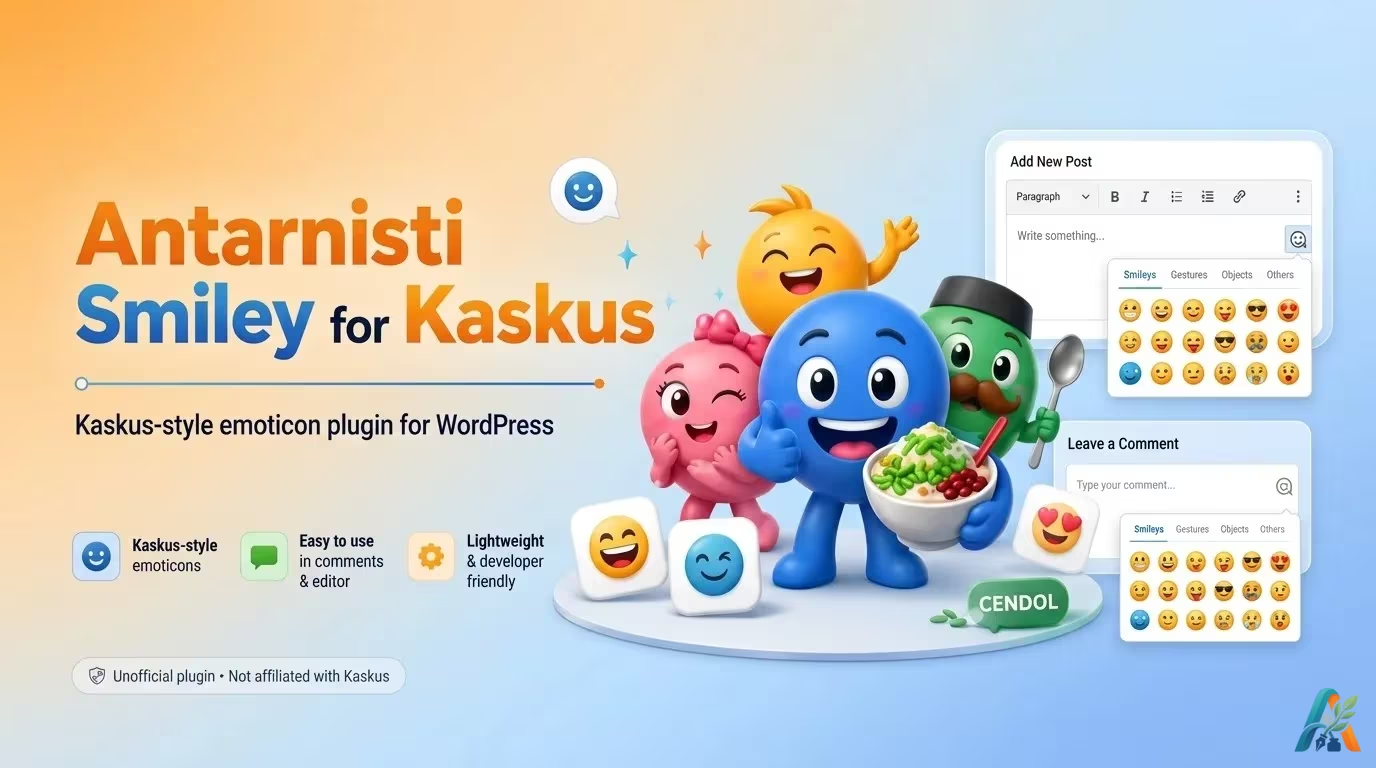
Antarnisti Smiley for Kaskus adalah plugin WordPress untuk menambahkan emoticon bergaya Kaskus ke dalam post, page, dan komentar.
Plugin ini dibuat untuk menghadirkan kembali pengalaman memakai smiley/emoticon khas forum Kaskus di WordPress, terutama untuk pengguna yang masih menyukai gaya emoticon klasik dalam percakapan blog.
Catatan: Plugin ini adalah plugin tidak resmi. Antarnisti Smiley for Kaskus tidak berafiliasi, tidak disponsori, dan tidak di-endorse oleh Kaskus.
Informasi Plugin
Author: Tom Antarnisti
Plugin URI: https://antarnisti.com/antarnisti-smiley-for-kaskus/
WordPress.org: https://wordpress.org/plugins/antarnisti-smiley-for-kaskus/
Current Version: 2.5.4
Requires at least: WordPress 5.8
Tested up to: WordPress 7.0
Requires PHP: 7.4
License: GPL-2.0-or-later
Status Terbaru
Sejak versi 2.5.1, Antarnisti Smiley for Kaskus sudah resmi tersedia di WordPress Plugin Directory.
Artinya, plugin ini sekarang bisa diinstall langsung dari dashboard WordPress tanpa perlu download manual dari Google Drive atau upload ZIP sendiri.
Fitur Utama
Plugin ini mendukung:
- konversi shortcode smiley menjadi gambar emoticon di post dan page;
- konversi shortcode smiley di komentar;
- smiley picker untuk Classic Editor;
- smiley picker di dekat form komentar WordPress;
- pilihan tampilan smiley picker terang atau gelap;
- opsi menonaktifkan smiley tertentu;
- opsi menonaktifkan native WordPress emoji scripts and styles.
Cara Install dari Dashboard WordPress
Cara paling mudah:
- Masuk ke dashboard WordPress.
- Buka Plugins → Add New.
- Cari:
Antarnisti Smiley for Kaskus - Klik Install Now.
- Klik Activate.
- Atur plugin melalui menu Antarnisti Smiley for Kaskus di dashboard WordPress.
Cara Pakai
Setelah plugin aktif, kode smiley yang ditulis di post, page, atau komentar akan otomatis diganti menjadi gambar emoticon.
Plugin ini juga menambahkan smiley picker di editor dan form komentar, sehingga pengguna bisa memilih smiley tanpa perlu menghafal semua kode.
Dukungan Editor
Antarnisti Smiley for Kaskus tetap bisa mengganti kode smiley di konten yang ditampilkan di frontend WordPress.
Namun, fitur tombol/picker di editor terutama dirancang untuk alur kerja Classic Editor. Jika Anda memakai Block Editor, konversi smiley tetap bekerja pada konten yang dirender, tetapi picker editor mungkin tidak terasa sepraktis di Classic Editor.
Dukungan Form Komentar
Plugin ini menggunakan filter WordPress comment_form_defaults untuk menempatkan smiley picker di dekat textarea komentar.
Jika theme Anda memakai fungsi standar WordPress: comment_form(); maka smiley picker seharusnya muncul normal.
Jika theme memakai form komentar custom dan tidak menggunakan comment_form(), smiley picker mungkin tidak muncul. Dalam kasus seperti itu, file comments.php pada theme perlu disesuaikan agar memakai fungsi standar WordPress.
Disable WordPress Native Emoji
Plugin ini memiliki opsi untuk menonaktifkan emoji bawaan WordPress.
Fitur ini berguna jika Anda ingin Antarnisti Smiley for Kaskus menangani tampilan smiley/emoticon tanpa WordPress ikut memuat script emoji bawaannya.
Opsi ini dapat menonaktifkan:
- WordPress emoji detection script;
- WordPress emoji styles;
- emoji handling di TinyMCE;
- emoji staticization di feed, RSS komentar, dan email;
- DNS prefetch ke CDN emoji WordPress.
Jika opsi ini sudah aktif, Anda tidak perlu memakai plugin tambahan khusus untuk menonaktifkan emoji bawaan WordPress.
Changelog
2.5.4
Fixed oversized admin menu icon by switching the menu icon to a WordPress Dashicon.
2.5.3
Fixed a frontend timeout issue by caching the sanitized smiley replacement map per request.
2.5.2
Fixed oversized admin menu icon by switching to a WordPress Dashicon.
2.5.1
- First approved release on the official WordPress Plugin Directory.
- Renamed plugin to Antarnisti Smiley for Kaskus.
- Updated plugin slug and text domain to antarnisti-smiley-for-kaskus.
- Added clear unofficial/ not affiliated disclaimer.
- Improved escaping and sanitization for content and comment output callbacks.
- Updated plugin metadata for WordPress.org submission.
2.4.1
- Fixed WordPress Plugin Check warnings/errors.
- Improved input handling.
- Escaped smiley HTML output calls.
- Prefixed global variables in smiley lists.
- Simplified emoji DNS prefetch removal.
- Added direct-access protection for index files.
2.4.0
- Renamed plugin from Kaskus Smiley to Antarnisti Kaskus Smiley.
- Renamed plugin folder and main plugin file for cleaner branding.
- Added setting to disable WordPress native emoji scripts and styles.
- Updated readme metadata and visible plugin labels.
2.3.0
- Added option to disable WordPress native emoji scripts and styles.
- Removed direct
wp-config.phploading from the old wizard flow. - Replaced the old wizard URL with an admin-hook based Thickbox modal for the Classic Editor.
- Added nonce and capability checks to settings saving.
- Sanitized saved plugin options.
- Validated disabled smiley keys.
- Escaped admin output and plugin-generated URLs/attributes.
- Replaced hardcoded
/wp-content/plugins/URLs withplugin_dir_url(). - Enqueued CSS and JavaScript through WordPress APIs.
- Removed default frontend author backlink behavior.
- Improved compatibility with newer WordPress versions.
Older Versions
Previous versions included separated CSS/JS files, light/dark theme options, admin menu improvements, direct directory browsing protection, and styling cleanup for smiley images.
FAQ
Smiley replacement works on rendered post content. The smiley picker is mainly designed for Classic Editor.
Most likely because your theme uses a fully custom comment form. The plugin expects the standard WordPress comment_form() function.
No. Antarnisti Smiley for Kaskus already includes an option to disable WordPress native emoji scripts and styles.
No. This is an unofficial plugin and is not affiliated with Kaskus.
Download
Plugin ini sekarang tersedia resmi di WordPress Plugin Directory (jangan lupa bintangnya, gan!):
Cara paling mudah adalah install langsung dari dashboard WordPress melalui menu Plugins → Add New.
“Dia sudah tak ada makan pun, dan ditanya ga adanya sehari… sungguh sulit hati biar kan”
ucha78
Great weekend to everyone!
Thanks for the article very interesting